Some Questions Left Unanswered? Let’s Talk One-on-One!
You can either book a session or send me an email at akankush92@icloud.com for any additional questions or clarifications.
Looking forward to connecting and discussing further with you!
The Problem.
Users find it challenging to build confidence, master networking conversations, prepare for events amid uncertainty, and sustain and grow their professional connections.
// USER's PERCEPTIONS OF NETWORKING
"I struggle with initiating conversations, especially when I’m not sure how to approach someone."
Graduate Student, Purdue
"I find it hard to follow up after initial meetings, especially when I don’t know how to keep the conversation going."
Under Graduate Student, IUPUI
"Networking feels overwhelming at times, especially when I’m unsure how to present myself effectively."
Under Graduate Student, IUPUI
"Following up is even harder—
I worry about coming across as pushy or awkward. "
Under Graduate Student, IUPUI
// How Do Users Currently Learn and Network?

// WHAT ARE THE KEY PAIN-POINTS?

Mastering Networking Conversations Effectively
Professionals often struggle to start and sustain engaging conversations, limiting success.
Networking Event Preparation & Sustaining Connections
Professionals struggle to identify key connections, strategize for events, and follow up, limiting long-term opportunities.
We identified three key pain points by analyzing data from user interviews, surveys, personas, and user flows.
// PAIN-POINT #1 (Phase A - LEARNING TO NETWORK)
Mastering Networking Conversations Effectively
// How DID I Address this?
I addressed this by integrating a lifelike MetaHuman powered by Unreal Engine, specifically trained in professional networking. This allows users to engage in dynamic conversations, ask nuanced questions, and receive instant, insightful feedback—making it the perfect tool for practicing networking in a more immersive and effective way than passive video learning.


// DESIGN WALKTHROUGH
// THE IMPACT
.webp)
// THE RESEARCH BEHIND THE SOLUTION


// CHALLENGES ENCOUNTERED IN THIS PHASE
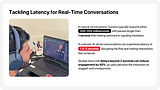
// HOW DID I TACKLE IT?
Real-Time TTS with Low Latency

Utilized Deepgram's Aura for <200ms latency, ensuring smooth and natural conversations.
Reduced response time for a more engaging and efficient networking experience.
Integrating Speech AI with MetaHumans
Leveraged NVIDIA ACE and Convai to integrate speech AI into Unreal Engine-powered MetaHumans.
Enabled lifelike, interactive conversations that mimic human-like responses for a realistic experience.
On-Device Processing for Data Security
Ensured all conversations are processed on-device, keeping user data private and secure.
Avoided cloud-based processing to mitigate potential data security risks.


// THE TECHNICAL FEASABILITY

// USABILITY TESTING
We tested the mid-fidelity designs using heuristics and think-aloud sessions in 5 testing sessions with 12 users to identify usability issues, gather user insights, and ensure the design met established usability principles.
// Think ALOUD


// HEURISTICS EVALUATIONS


// USER'S THOUGHTS ON THE SOLUTION


// synthesizing THESE INSIGHTS


// PAIN-POINT #2 (Phase B - IMPLEMENTING YOUR LEARNING)
Networking Event Preparation and Sustaining Connections
// How DID I Address this?
Prepare for events with tailored conversation starters and smart attendee recommendations.
Log key details, receive follow-up reminders, and get personalized messages based on your notes. With relevant content suggestions and gamification, staying connected and building meaningful relationships becomes effortless.


// DESIGN WALKTHROUGH
// THE IMPACT

// THE RESEARCH BEHIND THE SOLUTION


// synthesizing THESE INSIGHTS


// CHALLENGES ENCOUNTERED IN THIS PHASE


// HOW DID I TACKLE IT?
Phased Product Rollout to Build Trust

Launched as a networking skill-building platform first, then gradually introduced event integration to create a strong user base.
A strong user base increases confidence among event organizers, ensuring they have engaged attendees for their events.
Leveraging LinkedIn for Smart Matchmaking
Connecting your LinkedIn allows access to public professional data, simplifying the process of suggesting relevant networking connections.
Helps users find meaningful connections based on shared industries, skills, and professional interests.
AI-Powered Participant Matching & Conversation Starters
Uses LinkedIn data to match attendees with common interests, ensuring more relevant and productive interactions.
Provides AI-generated icebreakers and conversation prompts, helping participants feel more prepared and confident at events.


// USABILITY Testing
// A/B Testing


// USER'S THOUGHTS ON THE SOLUTION


What I’d Tackle with More Time


Designed for Everyone.


My Learnings.
Builds Early Networking Skills & Confidence
NetWise helps students develop essential networking abilities from the start of their academic journey, setting them up for future career success.
Enhances Engagement Through Metahuman AI
Learning to network by interacting with a lifelike Metahuman AI is far more engaging and effective than passive video tutorials, providing real-time feedback and immersive practice.
Simulations Increases Confidence in Conversations
AI-driven simulations and guided practice reduce anxiety, making it easier for students to initiate and sustain professional interactions.
Personalized Paths to Networking
Tailored recommendations and structured learning paths ensure students improve their networking skills at their own pace.
User-Centered Design (UCD) is an iterative framework that prioritizes users’ needs, behaviors, and feedback at every stage of the design process to create intuitive and effective solutions.
Why did I use this?
I used the User-Centered Design framework to tailor Netwise’s features—like mastering networking, smart attendee recommendations and personalized follow-ups—based on real user challenges, ensuring a seamless and confidence-boosting networking experience.
.webp)
We analyzed all 30 interviews by identifying patterns and creating codes/themes that highlighted the biggest pain points. This helped us prioritize the most critical challenges users faced and shape our solutions accordingly.
.webp)
We conducted a competitive analysis to understand the strengths and weaknesses of existing platforms in the networking space.
By reviewing key competitors, we were able to identify gaps in their offerings and find opportunities to build a more user-friendly, feature-rich solution that addresses the specific needs of our target audience.
This analysis helped inform our design decisions and ensure that our platform stands out by providing unique value.

By carefully analyzing user interviews and survey data, we uncovered recurring patterns in user behavior and pain points.
These insights allowed me to craft personas that weren't just theoretical but were grounded in real-world needs and challenges.

Meet Emily
She is a 22-year-old business student in New York, wants to expand her network for an internship but feels nervous starting conversations and struggles to find the right connections.
// WHAT ARE EMILY's NEEDS?
1. Confidence in Networking
Must have:
Real-time simulations and practice modes with immediate feedback to build confidence and improve skills.
Must Avoid:
Overloading with theoretical advice and too scripted interactions that hinder organic conversation.
2. Personalized Event Guidance
Must have:
Smart matchmaking and clear event breakdowns for relevant connections based on shared goals.
Must Avoid:
Providing too many suggestions or relying on generic criteria for matchmaking.
3. Effective Follow-Up Support
Must have:
Customizable prompts and reminders with key details to create personalized, relevant follow-ups.
Must Avoid:
Offering generic follow-up messages and missing reminders for timely engagement.
The above details are based on user research and identified in collaboration with the Product Manager.
Crazy8s was definitely my favorite method!
It’s a fast-paced ideation technique that encourages quick thinking and allows you to explore multiple solutions in a short amount of time.
It helped me break free from overthinking and generated fresh, out-of-the-box ideas.

Idea 1
AI-Powered MetaHuman Coach
A realistic 3D avatar to practice networking conversations with instant feedback.
Idea 2
Smart Matchmaking for Events
Personalized attendee recommendations based on shared interests and goals.
Idea 3
Follow-Up Reminder System
Timely notifications with customized prompts based on past conversations.
Idea 4
Micro-Learning Modules
Short, interactive networking lessons integrated within the platform.
Idea 5
Networking Challenges & Rewards
Fun, goal-driven tasks to motivate users to engage and improve their skills.
User Journey Mapping was the most challenging method for me.
While it was incredibly valuable for understanding the user's experience, it required a lot of attention to detail and careful consideration of each step in the user's journey.
Mapping out every touchpoint, emotion, and pain point was time-consuming, and ensuring that the journey accurately represented the user's experience from start to finish took a lot of iteration.
However, it provided crucial insights into where users struggle and how to improve their overall experience.

I used the MOSCOW method to prioritize features by categorizing them into Must-Have, Should-Have, Could-Have, and Won’t-Have.
This helped us focus on essential features that addressed key user pain points, ensuring the MVP provided the most value while staying aligned with project goals.

It helped structure and categorize content in a way that ensured users could easily navigate, locate relevant information, and access the tools or resources they needed without feeling overwhelmed.
By organizing information logically, it enhanced the overall user experience, making interactions smoother and more intuitive.

To kick off we started with the low-fidelity design phase, I focused on sketching the core structure and layout, without getting bogged down by visual details.
This allowed me to quickly test ideas, experiment with different flows, and identify the key user interactions—all while keeping the focus on functionality.
Using wireframes and basic elements, I could rapidly iterate and ensure the foundation was solid before moving forward.
By creating a mid-fidelity design, we were able to focus on the user interactions and layout without getting distracted by visual details. This phase helped us identify and address usability issues early on.
We also used the mid-fidelity design for usability testing, gathering valuable insights to refine the experience further before investing in the more time-intensive high-fidelity design.


Got questions? Here are some answers!
Explore Other Case Studies...
User Research & User Interface // APR 2024

.webp)